Recovering Access to the System
If you don't remember your password, you can easily reset it using the Forgot password option available on the DataPortal login page.
Step by step
-
Launch your web browser and open the page at: https://dataportal.online.
-
On the login page, click the Forgot password button visible below the LOG IN button.
You will be taken to the system access recovery page.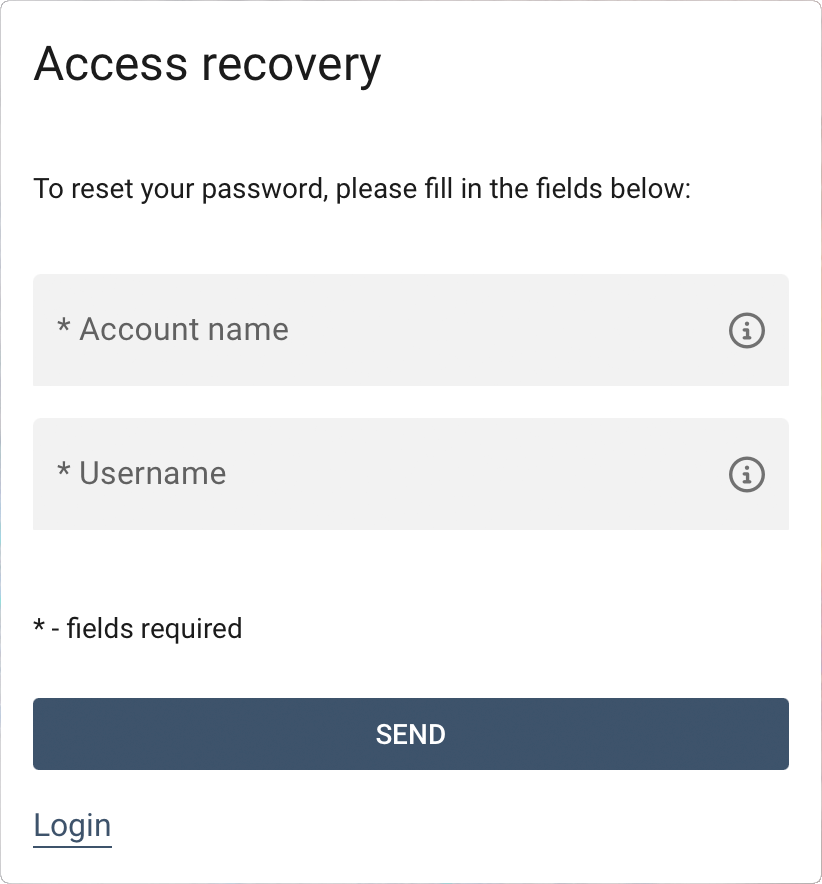
-
Enter the required details:
- Account name – this is the name of your company account (organization).
- Username – your login used for signing in (this is not an e-mail address).
-
Click the SEND button.
The system will send instructions for resetting your password to the e-mail address associated with the provided login. -
Follow the instructions received in the e-mail to set a new password.
Password requirements
The password should be at least 12 characters long, and contain lowercase and uppercase letters as well as digits and special characters.
Tip
If you frequently log in to one account, you can enter both the account name and login together in the username field, separating them with a period (e.g. company.john). This makes it easier for your browser to remember your login details.