Calculated tags
Calculated tags allow you to create new values based on formulas, other tags, and predefined scripts. They let you build more advanced business and technological logic, and create indicators, sums, balances, logical statuses, and other derived values.
Calculated tag values are saved in the database and work in the system the same way as standard tags. This means they can be archived, used in reports, alarms, and historical analyses.
Billing of calculated tags
Calculated tags are treated as standard tags and are included in the system's daily billing.
Adding a calculated tag
- Choose the TAGS command in the tool panel to go to creating a new variable.
- In the tags panel, click the Create command.
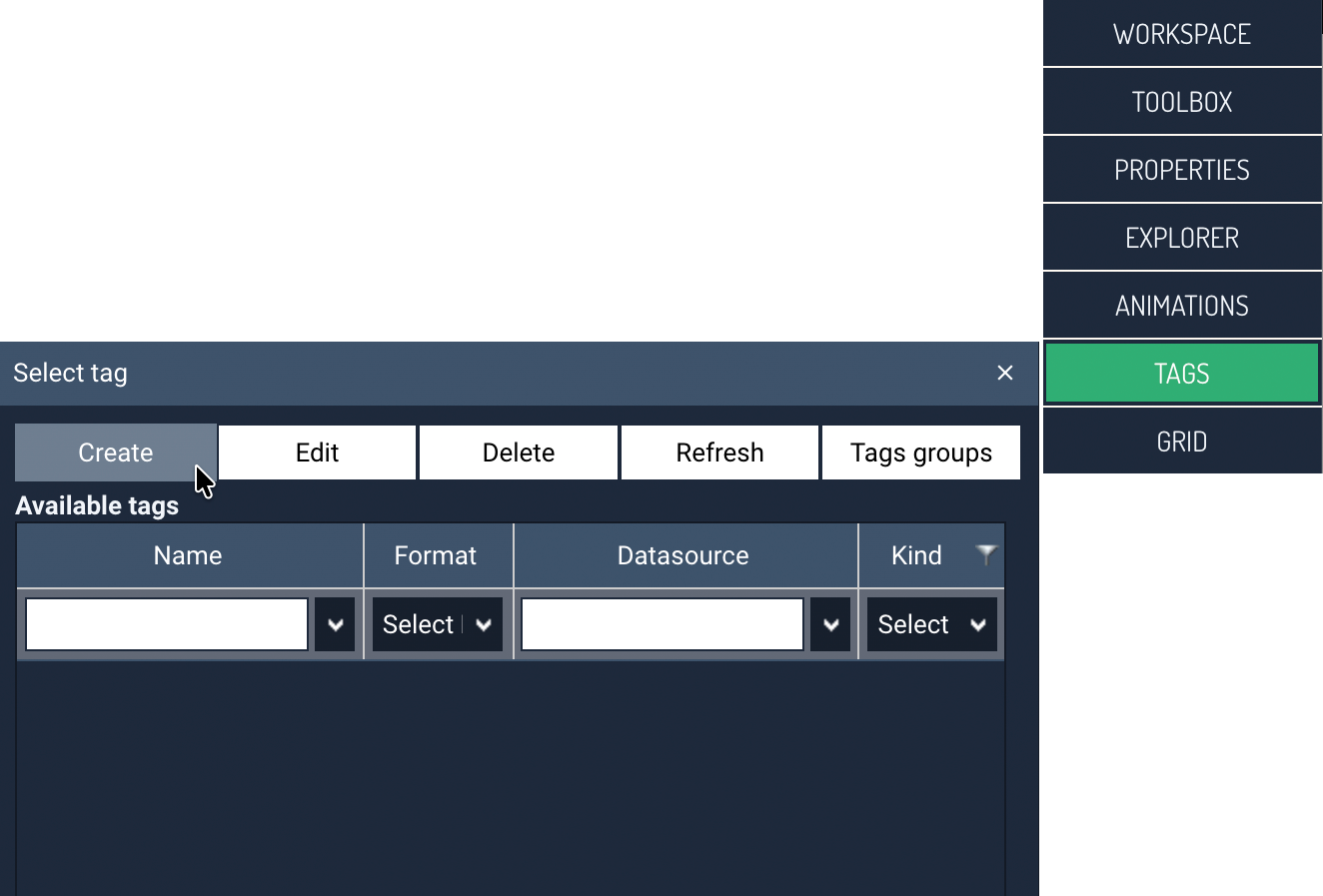
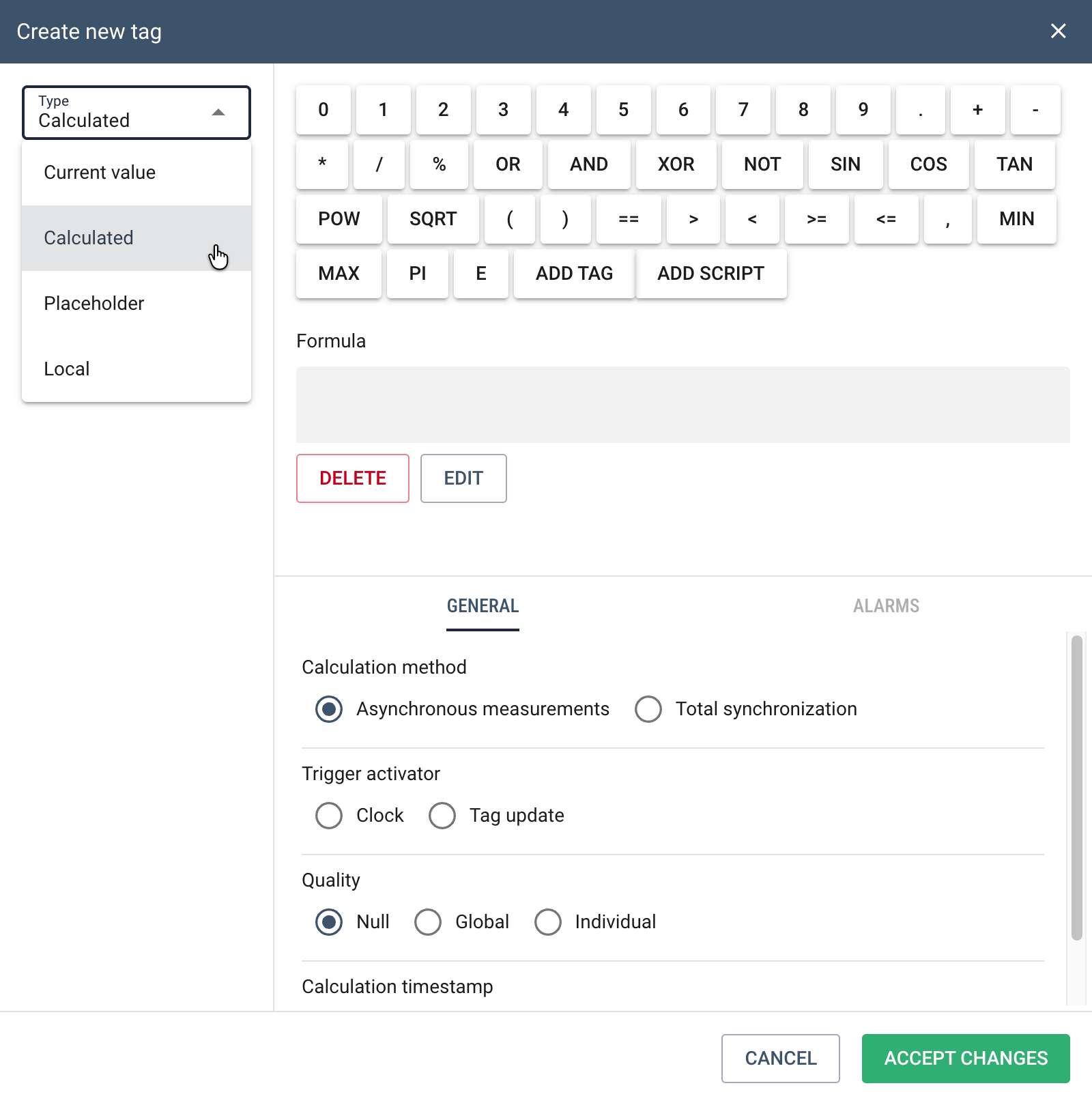
- In the next step, select Calculated as the tag type and enter the name of the new tag.
-
Then enter the formula that calculates the value of the local tag. In the central part of the window there is a formula editor, used to define how the tag's value is calculated. The formula can be built using:
- basic mathematical operations,
- logical and comparison operators,
- mathematical functions,
- other tags,
- system functions and scripts.
The buttons available at the top of the window allow you to quickly insert operators and functions into the formula.
The ADD INDICATOR button lets you select other tags to be used in calculating the local tag's value. The selected tags are then inserted into the formula.
The ADD SCRIPT button allows you to add ready-made functions or logic fragments available in the system.
-
After defining the formula, select the tag calculation method - Asynchronous measurements or Full synchronization. The calculation methods are described below.
- Optionally define alarming options for the new tag.
- Finally, click the ACCEPT CHANGES button to create the new calculated tag.
Calculation methods
Calculated tags can operate in two value calculation modes: asynchronous or synchronous. The choice of the appropriate mode depends on the nature of the input data and how it is recorded.
Asynchronous measurements
In asynchronous mode, calculations are performed independently of the timestamps of the tags used in the formula. This means the system uses the last available argument values and performs the calculation according to the specified trigger.
The way calculations are triggered is defined by the user:
-
Clock — calculations are performed periodically, according to a specified start time and interval.
The Calculation time parameter defines the moment calculations begin each day. To achieve the maximum calculation frequency (every minute), the first calculation time should be set to00:00. -
Tag update — calculations are performed each time the value of the tag or tags used in the formula changes.
Data validity
For each argument used in the formula, you can specify a data validity time. If, when performing the calculation, the value of one of the tags is older than the permitted validity time, the calculation result will be saved with BAD quality.
Available validity control modes:
- None — data validity control is disabled,
- Global — one shared validity time for all arguments,
- Individual — a separate validity time for each tag.
Calculation timestamp
The Calculation timestamp parameter defines the time zone used when performing calculations and saving results. This setting operates independently of the other time settings in the system.
It is recommended to use UTC, especially for data transmitted from devices operating in different time zones.
Full synchronization
Full synchronization mode performs calculations only when all arguments used in the formula have an identical timestamp.
This mode is intended mainly for data coming from loggers or devices that record measurements at fixed time intervals. The system waits for a complete set of data with the same timestamp before performing the calculation.
The calculation result receives the same timestamp as the input data used in the formula.
The maximum waiting time for a complete data set is 7 days. After this time, the accumulated data awaiting synchronization is deleted.
No recalculation
Calculated tag values are not recalculated after delayed or modified historical data is delivered.