Local tags
Local tags allow you to create calculated values based on formulas and other tags. Formulas can use basic mathematical and logical operations, as well as predefined scripts (Actions). This makes it possible to perform local calculations and prepare data used directly on SCADA screens — without saving the results in the database.
Tags of this type operate only within the context of visualization and are intended for quick data processing for the needs of synoptic screens, animations, indicators, or additional data presentation logic. The values of processed tags are not archived and are not included in the system's daily billing.
Local tags
Local variable definitions are saved together with the screen and are not archived in the database. As such, they are not available from the resource management level.
The presentation of calculated local tag values is handled by standard animation mechanisms.
Adding a local tag
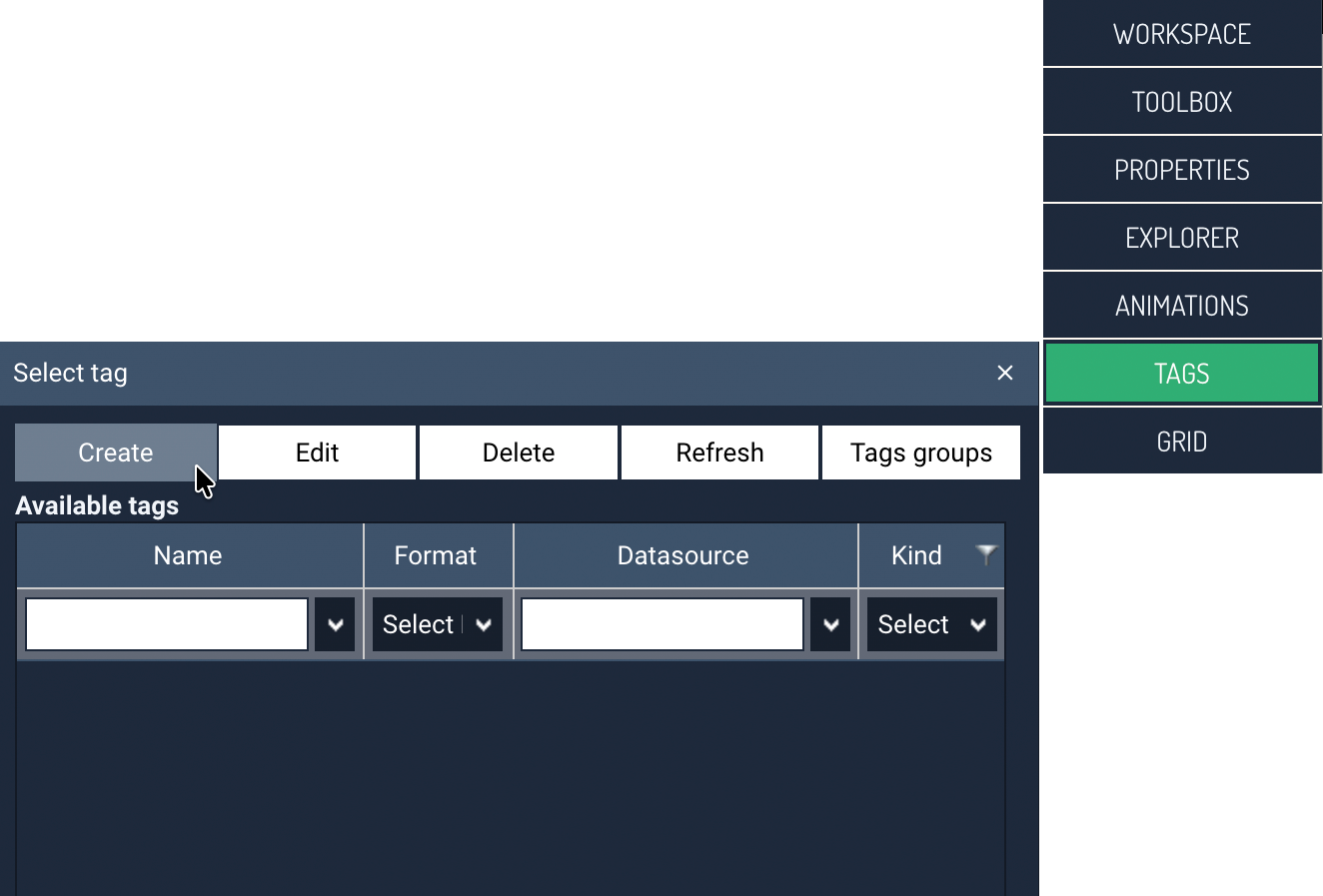
- Choose the TAGS command in the tool panel to go to creating a new variable.
- In the tags panel, click the Create command.
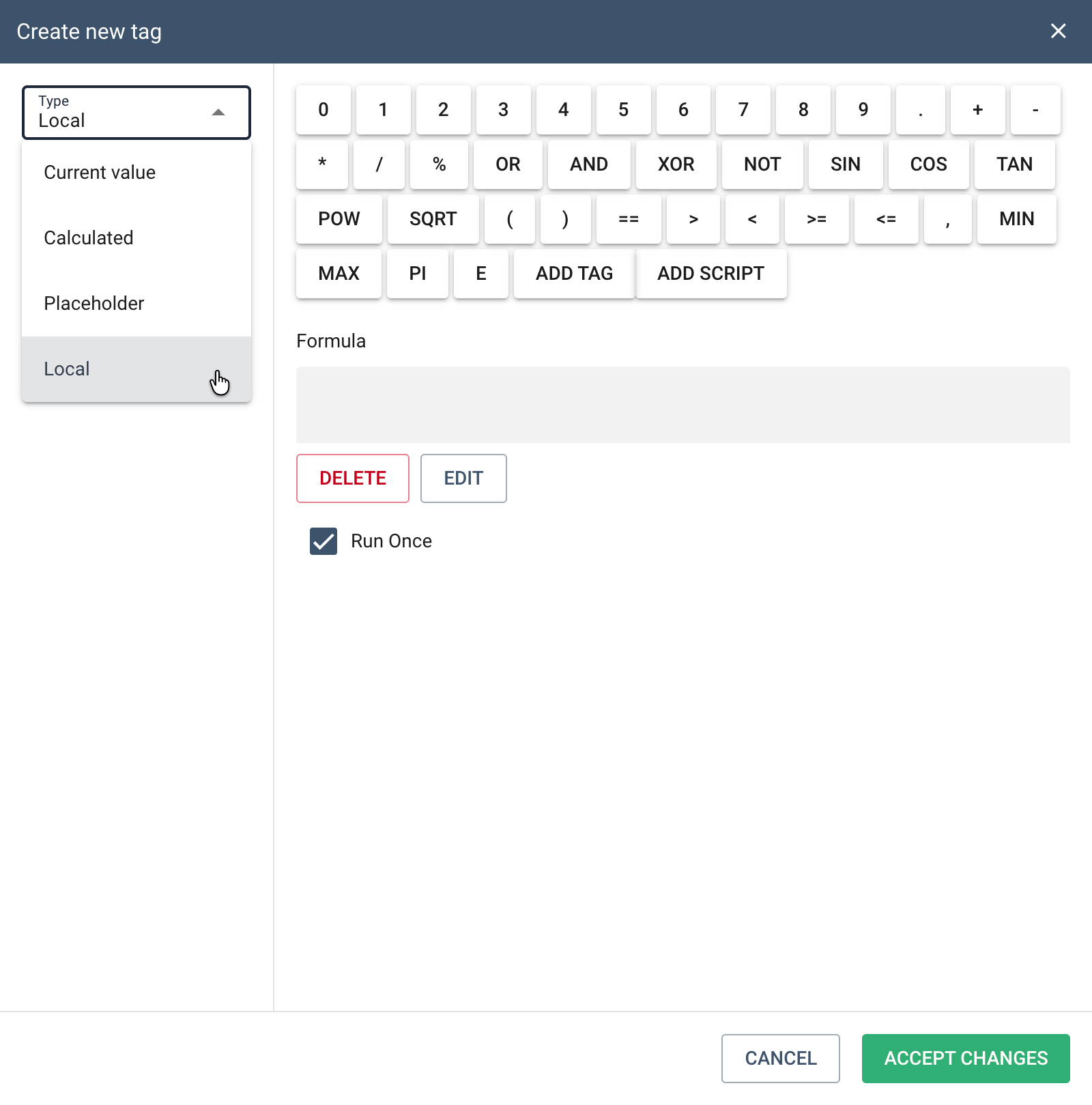
- In the next step, select Local as the tag type and enter the name of the new tag.
-
Then enter the formula that calculates the value of the local tag. In the central part of the window there is a formula editor, used to define how the tag's value is calculated. The formula can be built using:
- basic mathematical operations,
- logical and comparison operators,
- mathematical functions,
- other tags,
- system functions and scripts.
The buttons available at the top of the window allow you to quickly insert operators and functions into the formula.
The ADD INDICATOR button lets you select other tags to be used in calculating the local tag's value. The selected tags are then inserted into the formula.
The ADD SCRIPT button allows you to add ready-made functions or logic fragments available in the system.
-
After defining the formula, click the ACCEPT CHANGES button to create the local tag.
The calculation result will not be saved in the archive database. The processed tag can be used as an animation source in the same way as a Current value type tag.