Gauge
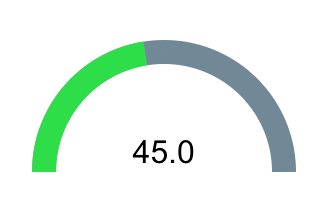
A Gauge indicator is a visualization element used to present a numeric value in the form of a semicircular or arc-shaped meter. The current value is displayed both graphically (as a colored fill of the arc) and numerically, as a label.
The gauge can be linked to any tag, allowing it to automatically update its value while the screen is running.
Inserting the gauge onto the screen
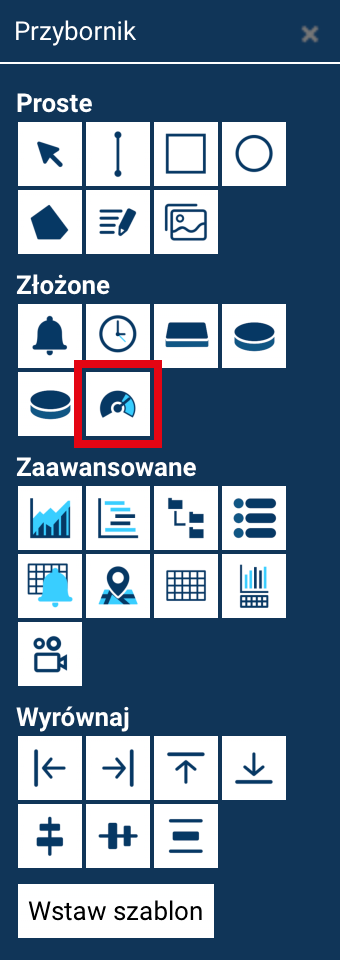
To add a gauge:
- Open the Toolbox.
- Select the Gauge tool.
- Click on the screen at the place where you want to put the gauge.
The gauge can then be freely moved, resized, and rotated.
Gauge properties
Once the gauge is selected and the Properties command is chosen in the Toolbox, a panel appears where you can configure:
Visual parameters
- Angle – specifies the meter's arc span (e.g. 180°).
- Radius – the radius of the circle the meter's arc segment is taken from.
- Size – the thickness of the arc (bar width).
- Background color – the color of the inactive part of the arc (the unfilled area).
- Fill color – the color of the active part, corresponding to the current value.
Label parameters
- Font size
- Font type
- Font color
- Decimal digits – the number of decimal places displayed in the value.
- Label offset – lets you shift (vertically) the position of the numeric value relative to its default position.
Range parameters
- Min value – the lower limit of the readings.
- Max value – the upper limit of the readings.
- Current value – the current value displayed on the gauge (if no tag has been set).
Linking with a tag
- Tag – select the tag whose value is to be presented on the gauge.
Once linked, the gauge updates automatically in animation mode.
Geometric parameters
- Position X / Position Y
- Width, Height
- Angle – the rotation of the entire object on the screen
After making changes, click Accept changes.
How the gauge works
The gauge dynamically maps the tag's value within the range from the minimum to the maximum value.
The graphical fill of the arc is proportional to the value, and the label presents it numerically according to the configured format.
For example:
- range 0–100
- current value: 45
- the gauge will fill 45% of its arc and display "45.0" (or in a different format, according to the settings).
Application
Gauge indicators are used, among other things, to present:
- fill level,
- speed,
- temperature,
- humidity,
- load,
- any other analog parameters.