Managing tags from the screen level
Tags (variables) in the DataPortal system can be created and modified both from the resource management module and directly while designing synoptic screens.
This chapter describes how to create and configure tags directly from the screen level — most often while assigning variables to objects, animations, or control mechanisms. This approach allows you to quickly create new variables without having to go to the resources module.
Detailed information about tag types, their properties, configuration, and rules of operation can be found in the chapter on resource and tag management: Management → Resources → Tags.
Adding a tag
- Choose the TAGS command in the tool panel to go to creating a new variable.
- In the tags panel, click the Create command.
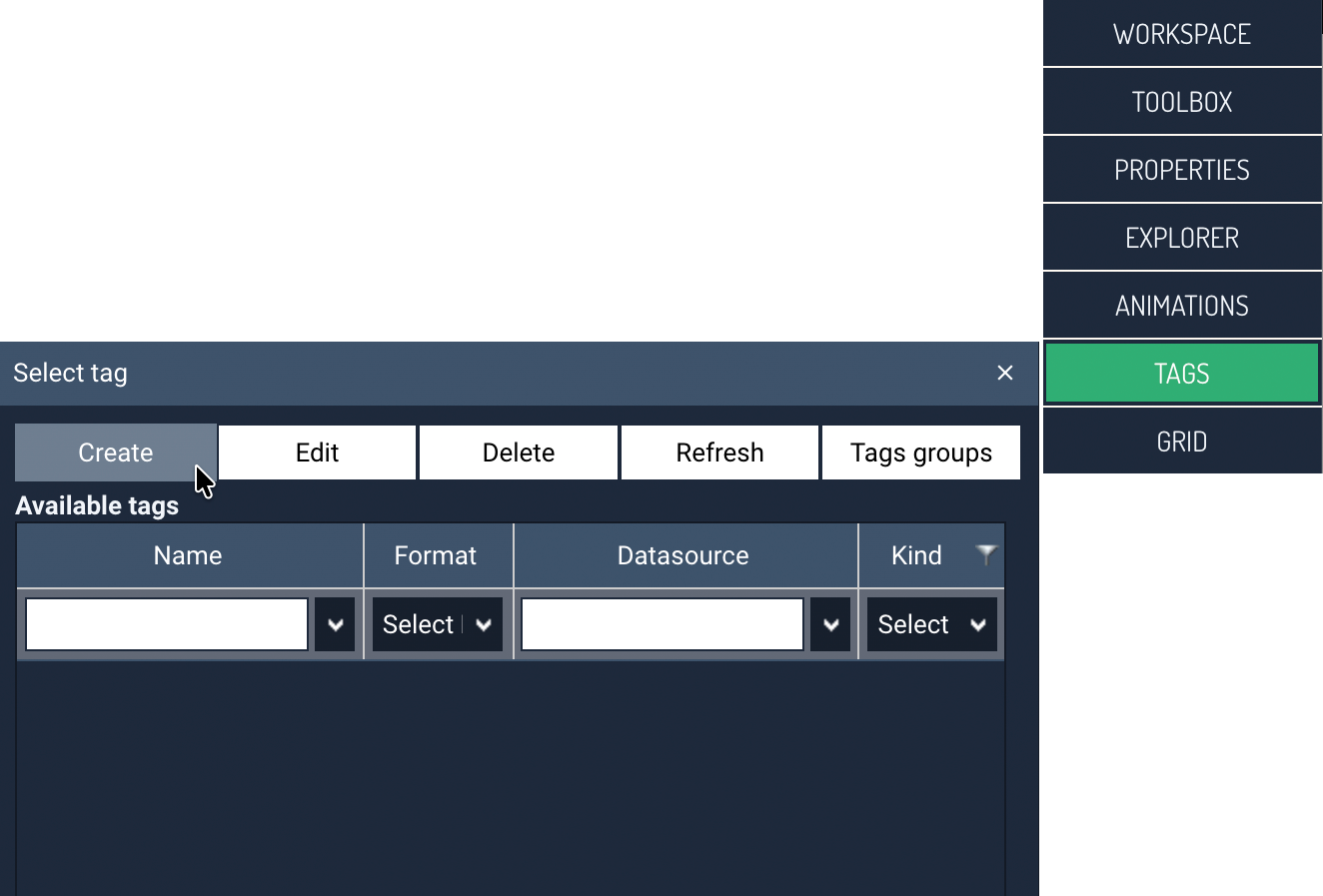
-
In the next step, select the type of tag. The following variable types are available:
- Current value (Register) — represents a value read directly from a device or another data source and updated according to the communication cycle.
- Virtual — used to store auxiliary values and can operate independently of a device or be assigned to one.
- Calculated — generates its value based on a defined mathematical or logical formula.
- Local — exists only on the visualization screen, is not saved to the database, and is used for quick calculations performed locally on the screen.
Tip
By default, the Current value type tag is selected — if the new tag is meant to be of this type, you can go straight to entering the tag name.
-
In the next step, enter the name of the tag being created.
-
If the new tag is to be of the Register type (Current value), select the Data source (if none exists, create one according to the chapter: Management → Resources → Data sources) and optionally — the desired Internal tag (predefined variables depending on the device type, a detailed description is available in the device's memory map).
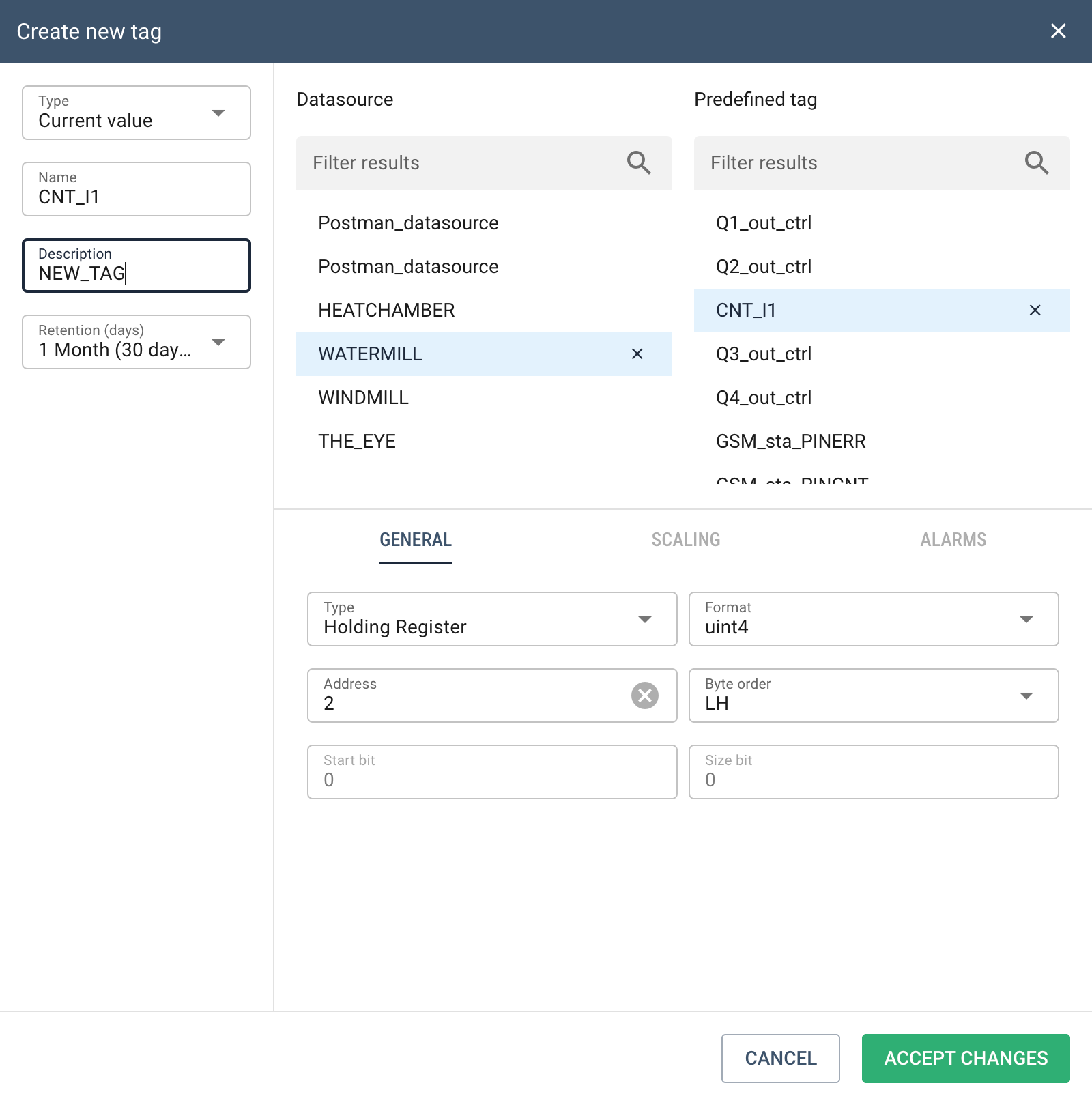
In the example above,
NOWY_TAGwas entered as the tag name,WATERMILLwas selected as the data source, andCNT_I1as the internal tag.Calculated and local tags
For calculated and local tags, instead of a data source, enter the appropriate formula that calculates the variable.
-
You can then change the tag's default settings in the GENERAL section, enter optional SCALING, and set up alarming on the ALARMS tab.
-
Finally, click ACCEPT CHANGES to complete the tag creation process.
From this point on, DataPortal will process incoming data from the data source according to the variable's configuration. Once processed, the data will be permanently saved to the database and will not be processed again.